By default, all teachers are set up in a Professional Learning (PL) class in their school. As a Manager or Facilitator, you can use the Self-Enroll Link to have new teachers join this class. You can also use this link if you're setting up a new PL class for a specific group of new or existing teachers. Follow the steps below to learn how!
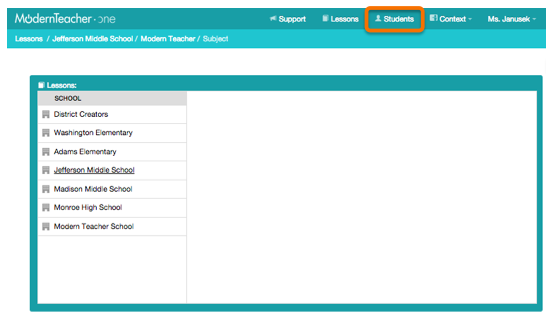
Step 1: In the Professional Learning Create & Manage view, you by default are usually viewing and managing your Lessons. To manage users, select Students at the top.
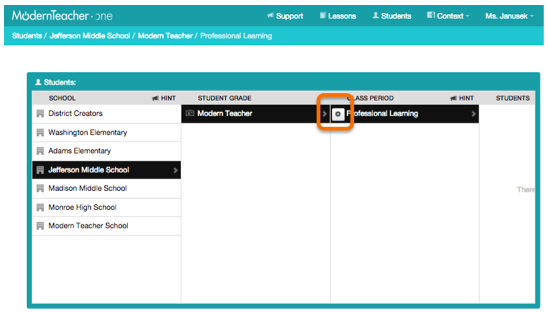
Step 2: Navigate to your desired Professional Learning class in your selected school, and click the settings cog to open the dropdown menu.
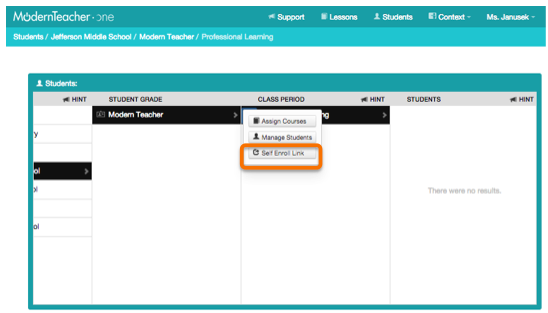
Step 3: Click the Self Enroll Link button.
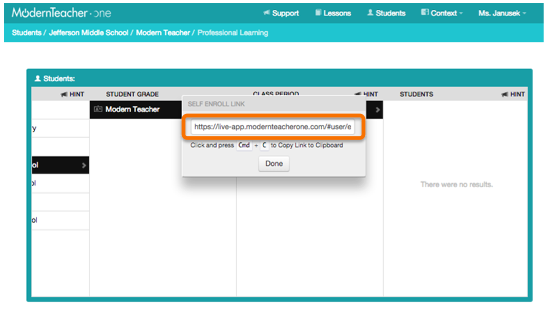
Step 4: A pop-up box will appear with the self-enroll link for your selected class. Share this link with the teachers or staff you would like to enroll in the class. You can e-mail the link, of have teachers type it in manually. If typing manually, you may wish to shorten the link by using a free service such as bitly.com.
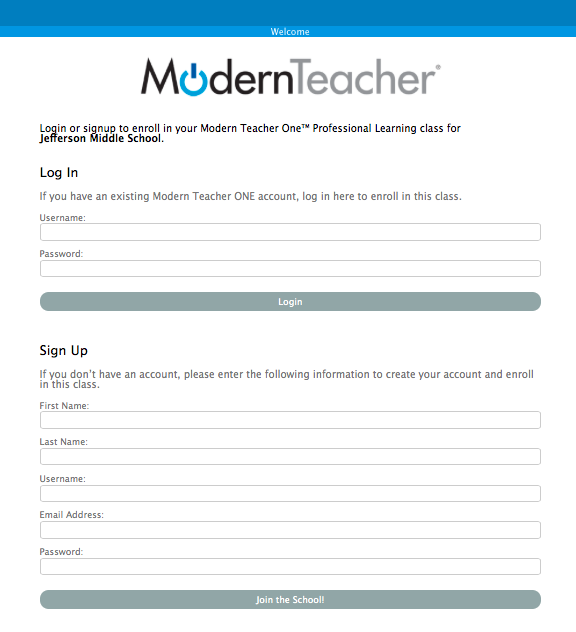
Step 5: The self-enroll link will take your teachers to a page like the one shown below. Direct your teachers to Log In if they already have existing MT ONE accounts, or to Sign Up if they are entirely new to the platform.
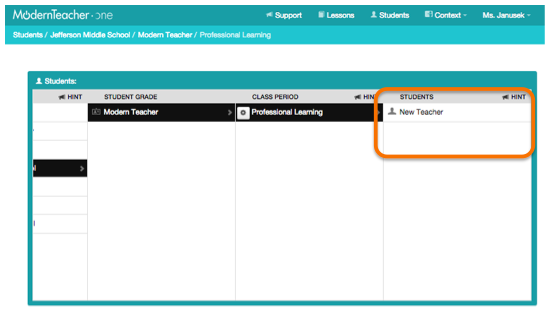
Step 6: Back in your Create & Manage view, you will see the teachers appear in the class as they self-enroll. You may need to refresh your screen to see them.
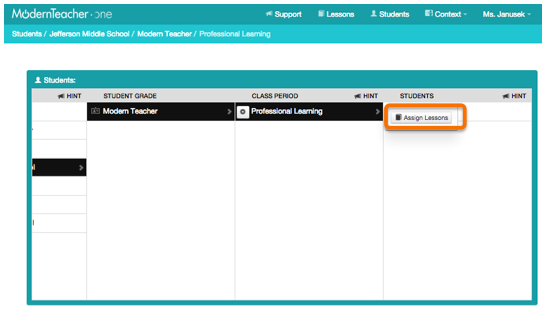
Step 7: Click the settings cog on any teacher's name and choose to Assign Lessons. You can then select exactly which lessons in the available Course you'd like each teacher to receive, and they can get started completing their assigned lessons immediately!
Hint: If you have trouble assigning lessons, make sure you have Assigned a Course to the selected Class Period. You can assign Courses by clicking the settings cog for the Class Period and choosing Assign Course. Then, any units and lessons in that Course will be available to assign to the teachers in the Class.
Please see this article for a video demonstration of this and other user management features in the Lesson Engine context. Have fun enrolling learners into your Professional Learning Classes!
Comments