Assign Points
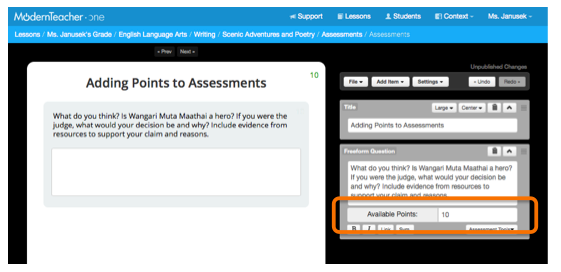
When creating a Lesson and adding Freeform or Canvas questions, teachers can designate how many points a question is worth. When manually grading, then, the teacher can give the student a grade within that point range by using a sliding scale beneath the student's answer.
Teacher Adding Points to an Assessment in the Lesson Creator:
Teacher grading 1 out of 10 points on a Freeform:

Provide Written Feedback to Students
Teachers can also provide written feedback on any assessment questions. Students will see this feedback in blue just below the assessment question in their accounts.
Teacher providing written feedback:

Student viewing score and teacher feedback:

Comments