Assessment questions can be embedded in Lessons for continuous checks for understanding. Assessments come in a variety of different formats and include both auto- and manual-grading options. With auto-graded assessment questions (Multiple Choice and Fill-in-the-Blank), students immediately receive their scores after turning in their page.
Multiple Choice
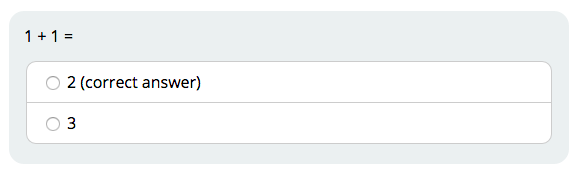
Multiple Choice questions can either have one correct answer or multiple correct answers. Questions with one correct answer will have circles next to the choices.
Example:
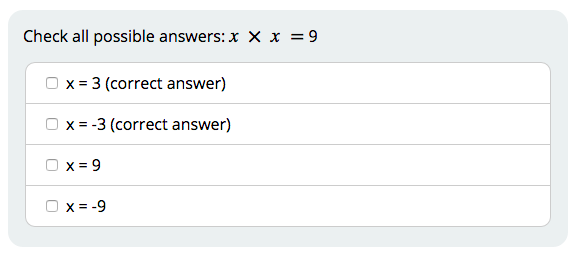
Questions with multiple correct answers will have boxes next to the choices.
Example:
Fill in the Blank
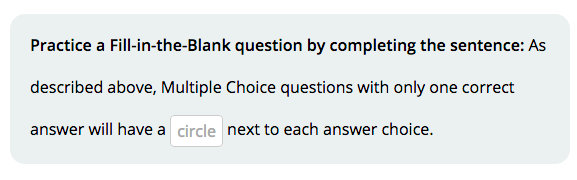
Fill-in-the-Blank questions allow students to complete a sentence or equation. They can click on the blank space to type in their answers.
Example:
Note that Fill-in-the-Blank questions must be spelled correctly (and with the correct spacing) to be marked correct automatically. Teachers can allow for multiple correct answers, but we recommend providing a word bank if spelling the answers is a challenge and not part of the assessment.
Comments